A client cannot open a revision link
Use these checks when a client sees “Not Found,” an invalid link, or a form they cannot submit.
1. Copy the form link again
As a workspace owner or admin, open the project, choose Share Revision Form, then Copy Link. Send the complete copied URL. The address of the internal project page requires a team login and is not a public revision form.
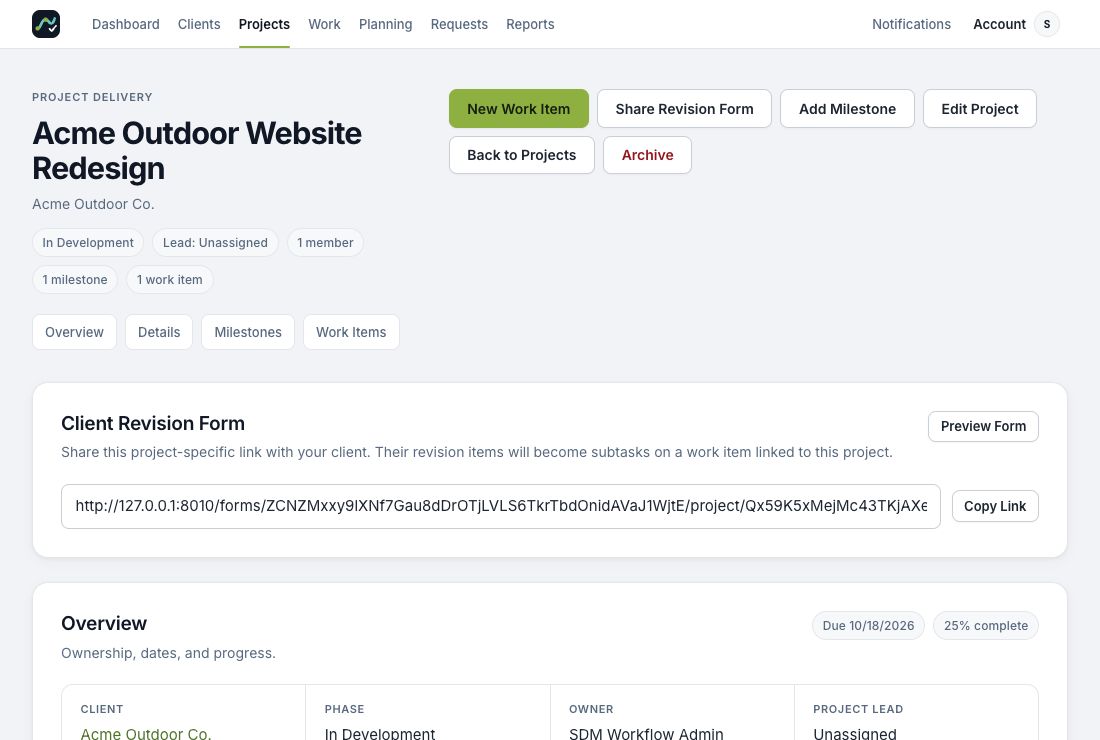
Demo workspace. Copy the link from your own project.
2. Check the project and client
Confirm you selected the correct workspace and project. Archived projects stop accepting public revisions. If the client or project has been archived, ask an owner or admin whether it should be restored before sharing another link.
3. Keep the complete URL
Record-specific links contain a security signature. Removing the query string after ?, truncating a long URL, or changing its characters can make it invalid. Copy and paste the link directly instead of retyping it.
Try Preview Form from the project. If Preview works but the emailed link does not, compare the pasted link and check whether the messaging tool has altered it.
4. Distinguish access from submission problems
If the form opens but cannot accept a new request, the workspace may be read-only or suspended. An owner should check Billing or contact support. If the form was open for a long time, follow public form recovery.
If the problem persists, contact support with the project name, exact error, and whether Preview Form works. Avoid posting the private form link publicly.
Need more help? Contact Support with what you were trying to do and the message you saw. We’ll reply by email.